

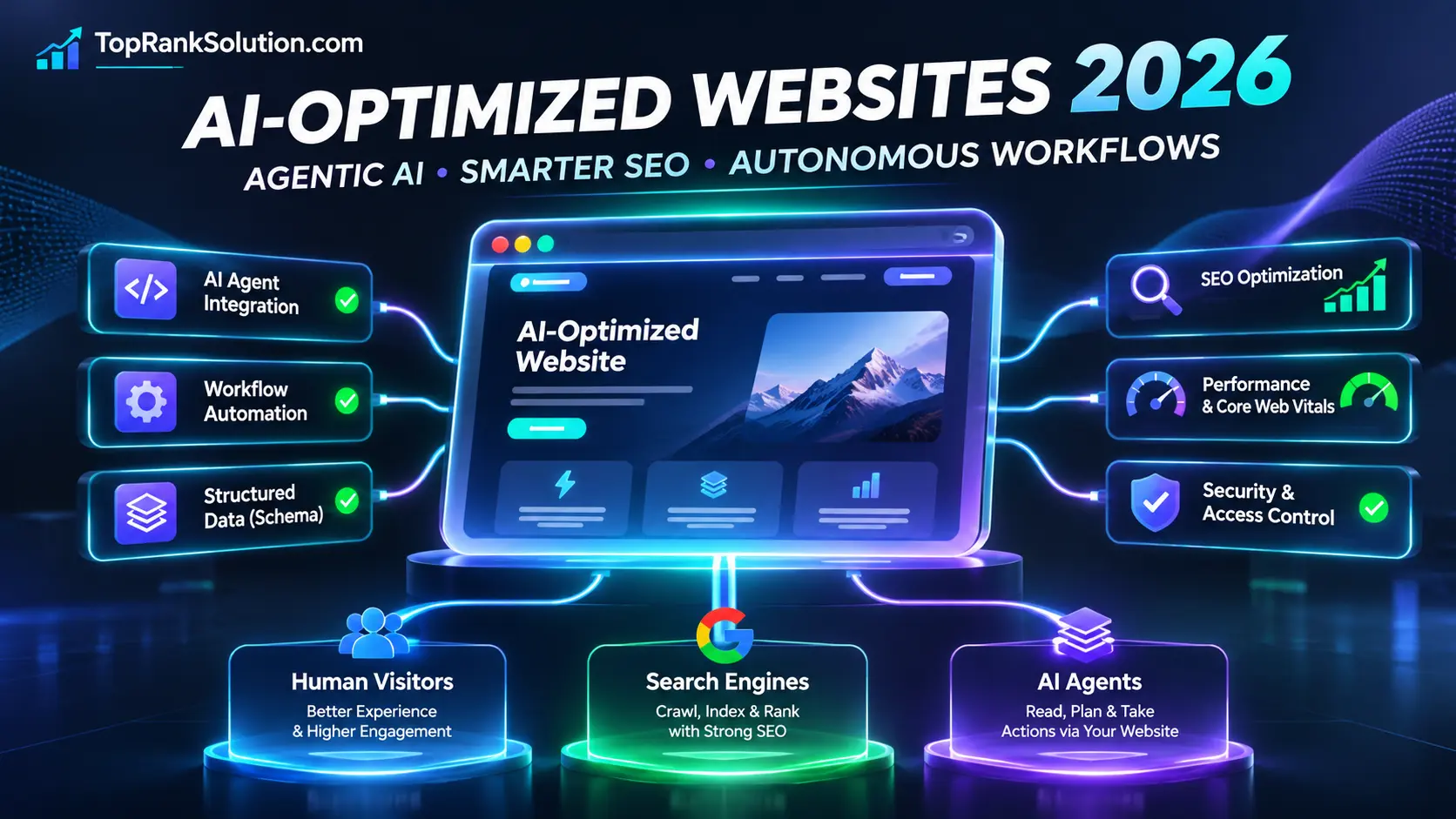
A modern website must serve three audiences
Website projects have traditionally been planned around human visitors and search crawlers. In 2026, a third audience is becoming more practical: task-oriented AI agents. These systems may inspect service details, compare options, gather policy information, fill forms or navigate a browser on a person's behalf.
This does not mean replacing human-centred design with a bot-only interface. A strong website remains useful to people first, technically accessible to search engines, and predictable enough for authorized software agents to interact with safely.
What the 2026 data says about agent adoption
Anthropic's 2026 State of AI Agents report says 57% of surveyed organizations were deploying agents for multi-stage workflows; 81% planned to tackle more complex use cases, and 80% reported measurable economic returns. These are survey findings, not universal adoption rates or guaranteed results for a particular website.
The chart reproduces percentages attributed to one survey. It does not measure SEO gains, conversion lift or expected ROI for an individual business.
The practical lesson is not “add an agent everywhere.” Identify repetitive, information-heavy tasks where an agent can reduce friction while a person retains control over consequential decisions.
The agent-ready website architecture
A reliable agent integration is a workflow, not a floating chat bubble. It needs a defined task, approved data sources, explicit tools, permission boundaries, an audit trail and a safe human handoff.
Layer 1: a clean information model
Keep important business facts consistent: service name, price, currency, delivery range, exclusions, refund terms, availability and support channel. A person should be able to verify the same facts an authorized agent retrieves. Avoid hiding critical details in decorative images or inconsistent templates.
Layer 2: stable interaction contracts
Use semantic HTML controls, descriptive labels, predictable form fields, clear validation and stable URLs. An agent should not have to guess whether a visual element is a button or whether a price is current. If APIs are exposed to agents, document inputs, outputs, authentication and error behaviour.
Layer 3: permission-aware actions
Separate read operations from write operations. Reading a public service page is low risk; changing an order, issuing a refund or submitting a payment is consequential. Require explicit confirmation, short-lived authorization, server-side validation and audit logging. Never expose private customer records or payment credentials to a public-facing model.
AI agent integrations that solve real website problems
1. Service discovery and package comparison
A visitor describes a goal, such as improving a slow WordPress website or comparing authority-building packages. An assistant retrieves the published catalogue, explains differences, asks for missing context and links to the correct service page. It must not invent package prices, delivery promises or ranking guarantees.
2. Pre-purchase website assessment
An audit agent can collect public page information, run approved performance checks, identify missing metadata and produce a prioritised issue list. It should show the tested URL and timestamp, distinguish observations from recommendations, and never present a basic scan as a complete SEO audit.
3. Support triage and order-status guidance
An authenticated support assistant can classify a question, retrieve permitted order status and explain next steps. It must expose only the current user's authorized records. Refund decisions, account changes and payment disputes should be escalated through approved human workflows.
4. Content operations with editorial review
Agents can cluster queries, compare topic coverage, prepare outlines, identify internal-link opportunities and flag outdated references. Editors should add first-hand insight, verify claims and approve publication. Do not autonomously publish hundreds of lightly rewritten pages.
5. Website maintenance assistant
A monitoring agent can summarize broken links, failed form submissions, uptime incidents and unexpected template changes. Production changes still need staging, backups, code review and human approval.
SEO in 2026: optimize for discovery, not imaginary shortcuts
Google's 2026 guidance for generative AI features reinforces a straightforward point: established SEO fundamentals remain relevant. Pages need to be crawlable and indexable, useful to people, technically accessible and supported by clear site structure. There is no separate magic markup that guarantees inclusion in AI Overviews or AI Mode.
Build pages around genuine user tasks
- Map each page to a clear audience, problem and decision.
- Answer the primary question directly, then provide evidence and useful next steps.
- Add original observations, demonstrations, data or expert commentary where available.
- Use descriptive headings and internal links that explain the next step.
- Keep prices, service details and policies consistent across the site.
Make facts easy to verify
Keep important information in visible HTML text. Add structured data only when it accurately represents visible page content and meets the relevant search-feature guidelines. Organization, Article, Product or Service markup should describe the actual page—not act as a supposed AI ranking switch.
Technical SEO checklist
- Important pages return the correct HTTP status and are not accidentally blocked.
- Canonical URLs, XML sitemaps and internal links point to preferred versions.
- Core content is available in crawlable HTML, not only after interaction.
- Forms have labels, keyboard support and meaningful error messages.
- Images have useful alt text where appropriate.
- Mobile layouts remain usable and overlays do not obscure content.
- Structured data matches what visitors can see.
- Search Console and analytics monitor discovery, clicks and conversions.
Practical implementation: connect agents without making the site fragile
Separate the website interface, agent orchestration, approved tools and business systems. Do not give a language model direct database credentials or unrestricted production-server access.
Start with a read-only service comparison tool
Expose a read-only function that returns the current public service catalogue from the same trusted source used by the website. The agent can compare published packages, but checkout remains the existing checkout flow. This reduces price drift and avoids duplicating payment logic.
Evaluate before expanding autonomy
Create test questions based on real customer needs. Check whether the agent chooses the correct service, quotes the current price, respects exclusions, refuses unsupported guarantees and hands off ambiguity. Measure tool-call success, factual accuracy, task completion, escalation rate, latency and cost.
Security, privacy and governance are part of the feature
- Least privilege: each tool receives only the access it needs.
- Server-side authorization: prompts are not a security boundary for customer data.
- Input validation: validate identifiers, URLs, amounts and state transitions.
- Prompt-injection resistance: treat retrieved pages, emails and uploads as untrusted data, not instructions that override policy.
- Human approval: require confirmation before purchases, refunds, publishing or account changes.
- Auditability: record actor, action, timestamp and result without logging secrets.
- Failure handling: provide a safe fallback when a model or API is unavailable.
For payment websites, keep payment creation, signature verification, webhook handling and order-state transitions in deterministic backend code. An AI assistant may explain a payment process, but it must not decide an order is paid based on conversational context.
Measure the system with a balanced scorecard
Do not judge an AI website by the number of agents deployed or pages generated. Track whether visitors complete useful tasks safely and whether the site remains discoverable, fast and maintainable.
These weights are an example framework, not an industry benchmark. Adjust them to the actual task and risk profile.
| Area | Useful measures | Warning signal |
|---|---|---|
| SEO | Indexed pages, organic clicks, qualified conversions | More URLs but no additional useful traffic |
| Agent quality | Task completion, factual accuracy, escalation rate | Confident claims unsupported by source data |
| Operations | Latency, tool failures, cost per task | Repeated retries or uncontrolled calls |
| Safety | Unauthorized-action blocks, privacy incidents | Access outside user permissions |
| Experience | Form completion, support resolution, satisfaction | Chat adds steps to an already simple task |
A practical 90-day implementation roadmap
Days 1–30: prepare the website
- Audit templates, crawlability, performance and accessibility.
- Normalize service facts, pricing, policies and help content.
- Identify one high-volume task suitable for assistance.
- Define privacy boundaries, tool permissions and success metrics.
Days 31–60: launch one constrained agent
- Build read-only retrieval from approved public content.
- Deploy a service-discovery or audit-explanation assistant.
- Create test questions, expected answers and escalation rules.
- Run a limited pilot and review uncertain responses.
Days 61–90: evaluate and expand carefully
- Compare task completion and support effort against baseline.
- Improve content gaps and tool reliability.
- Add authenticated features only after access controls are tested.
- Consider a second workflow only when the first is stable.
Seven mistakes to avoid
- Adding a chatbot without a task: define the user problem and permitted outcome first.
- Giving an agent broad credentials: expose narrow tools, not database or hosting access.
- Assuming AI content automatically ranks: add original value, fact-check and edit.
- Chasing unsupported GEO hacks: follow documented search fundamentals.
- Hiding key facts in graphics: keep prices and policies available as text.
- Skipping evaluation: test edge cases, not only ideal demonstrations.
- Automating irreversible actions: keep approval gates for payments, refunds and publishing.
Design content architecture that people, crawlers and agents can understand
Agent readiness begins with information architecture, not with a model choice. A website should make it obvious which page describes a service, which page explains a policy and where a visitor can take the next step. When related information is scattered across old posts, image banners, downloadable files and inconsistent service pages, both people and automated systems have to work harder to establish what is current.
Start by defining a clear hierarchy. Group pages into meaningful categories, use descriptive page titles and keep navigation labels consistent with the language customers use. A service page should explain who the service is for, what is included, what is excluded, how delivery works and how a visitor can ask a question. Supporting articles can answer narrower questions and link back to the relevant service page. This creates a useful path rather than a collection of disconnected URLs.
For important business facts, establish one authoritative source. Prices, package names, delivery estimates, refund terms and support details should not be manually repeated in several places if they can be maintained centrally. If the same fact must appear in a page, a catalogue API and an agent response, define which system owns it and how updates are published. A consistent source reduces contradictions and makes future maintenance easier.
Use semantic HTML to express the meaning of the content. Headings should describe the section that follows, lists should represent actual lists, buttons should perform actions and links should navigate. A visually styled text element is not automatically an interactive control. Semantic structure improves keyboard access and gives assistive technology and browser automation clearer signals about the page.
Structured data can help describe a page to supported search systems, but it must reflect the visible content and the correct page type. Do not add properties simply because they sound useful for AI. Validate markup, keep it synchronized with the page and remove stale structured data when a service or offer changes. The visible page remains the primary experience for visitors and should not contradict the machine-readable description.
Make agent interactions predictable without weakening the human experience
A website that works well for an automated agent is not necessarily a website designed only for automation. The same design decisions that make a page understandable to a person—clear labels, stable navigation, readable content and explicit feedback—often make it easier for an authorized agent to operate as well. The goal is to reduce ambiguity while preserving choice and control for the visitor.
Use clear forms and validation
Every form field should have a persistent label that explains the information requested. Placeholder text can provide an example, but it should not be the only label because it disappears when someone starts typing. Mark required fields, explain acceptable formats and place validation messages close to the relevant control. After submission, communicate whether the request succeeded, needs correction or is still processing.
Keep actions and outcomes explicit
Use action labels that describe the result, such as “Compare packages”, “Request an audit” or “Continue to checkout”. Avoid ambiguous labels that do not tell a visitor what happens next. When a workflow has multiple steps, show progress and preserve entered information when safe to do so. If a user or agent cannot complete a step, provide a clear alternative such as contacting support or returning to the service details.
Design for interruption and recovery
Real tasks are not always completed in one uninterrupted session. A visitor may refresh a page, lose a connection or need to confirm a detail with a colleague. Important workflows should handle these situations gracefully. Use server-side validation, meaningful error states and safe retry behaviour. Do not create duplicate orders or repeat consequential actions simply because a browser did not receive the first response.
For agent-assisted tasks, make the handoff visible. Tell the visitor when an automated assistant is collecting information, when a human needs to review a request and what will happen next. An agent should not silently submit a consequential form or imply that an action is complete before the backend confirms it. Human-readable status messages are part of the product, not an afterthought.
Protect website performance and accessibility as AI features are added
AI features can introduce additional scripts, network requests, fonts, embeds and interface components. A chat widget that loads on every page may compete with the main content even when most visitors never open it. A large client-side application can delay rendering, while a poorly implemented animation may make navigation harder on lower-powered devices. Treat each new feature as part of the website's performance budget.
Load optional interfaces only when they are needed, and avoid blocking the first render with non-essential code. Reserve space for widgets that load later so they do not push content around. Compress visual assets, limit font variants and test the page on a mid-range mobile device as well as a desktop. If an AI feature depends on a remote service, design a useful fallback for slow responses or temporary outages.
Accessibility needs the same attention. Ensure controls can be reached and operated with a keyboard, maintain sufficient text contrast and provide visible focus indicators. Give meaningful images appropriate alternative text, while decorative images should not create unnecessary screen-reader noise. Use headings in a logical order and ensure that dialogs announce their purpose and can be closed predictably.
Motion should support comprehension rather than distract from it. Respect reduced-motion preferences and avoid animations that make essential information difficult to read. If a chart communicates a result, provide the values and explanation in text as well. A visitor should not need to interpret colour alone to understand whether a task succeeded or failed.
Measure the complete experience after integration. Compare key page templates before and after the feature is introduced, including pages where the assistant is not used. Monitor Core Web Vitals, script errors, form completion and the time required to reach important content. If the feature makes a common task slower or less accessible, simplify the implementation instead of assuming that adding AI is automatically an improvement.
A launch checklist for an AI-enabled business website
Before releasing an agent or AI-assisted workflow to all visitors, review the website as a complete operating system. The following checklist helps teams confirm that the content, interface, backend and support process are ready to work together.
- Content ownership: identify the approved source for service descriptions, prices, delivery terms and policies.
- Page structure: confirm important pages have descriptive titles, logical headings, working internal links and crawlable primary content.
- Interface quality: test navigation, forms, validation, keyboard operation, mobile layouts and clear success or error messages.
- Agent scope: document the task the agent may perform, the data it may retrieve and the actions that are prohibited.
- Authorization: enforce access checks on the server and verify that one customer's information cannot be exposed to another.
- Consequential actions: require confirmation and deterministic backend validation for purchases, refunds, publishing and account changes.
- Failure recovery: test timeouts, unavailable APIs, malformed inputs, duplicate submissions and human escalation.
- Performance: compare mobile and desktop measurements before and after deployment, including pages that do not use the feature.
- Monitoring: record tool failures, task outcomes and relevant errors without storing passwords, payment credentials or unnecessary personal data.
- Editorial review: verify generated explanations and content before publication, especially when they contain prices, legal terms or technical claims.
Run the checklist with realistic tasks rather than relying only on a polished demonstration. Include incomplete information, unusual wording, expired links, unavailable packages and requests outside the agent's permitted scope. A reliable system should ask for clarification, explain its limits or hand off the task instead of inventing an answer.
After launch, assign an owner to review performance and quality. Websites change continuously: a new package, a redesigned checkout, an updated privacy policy or a third-party script can alter the behaviour of an existing workflow. Treat the agent as a maintained product component with release notes, tests and a rollback plan.
Evaluate business value with realistic expectations
The business case for an AI-enabled website should start with a measurable problem. For example, a support team may spend time answering the same pre-purchase questions, or visitors may struggle to identify which service fits their needs. An assistant may help organize information and guide visitors, but its value depends on whether it improves the task without creating new errors or extra work.
Establish a baseline before launch. Measure the current completion rate for the selected task, the number of support interactions it generates, the time required to resolve common questions and the rate at which visitors abandon the relevant page. After deployment, compare the same measures over a suitable period and account for changes in traffic, seasonality, campaigns and website design.
Include operating costs in the evaluation. Model usage, retrieval infrastructure, monitoring, human review and ongoing maintenance all require resources. A workflow that appears inexpensive in a prototype may become costly when it handles more traffic, retries failed calls or requires frequent manual correction. Set usage limits, monitor cost per completed task and review whether a simpler search or guided form would solve the problem more efficiently.
Quality and safety should be measured alongside speed and conversion. Track factual accuracy against approved source material, successful tool calls, unnecessary escalations, user corrections and blocked unauthorized actions. Review a sample of conversations or task traces under an appropriate privacy policy. A high completion rate is not a success if the system reaches that result by bypassing confirmation or giving visitors misleading information.
Finally, avoid treating early results as proof that the same design will work everywhere. A service comparison assistant, an internal content workflow and an authenticated support agent have different risks and success criteria. Expand only when the evidence supports the next use case, the necessary permissions are in place and the team can maintain the system responsibly.
The winning approach: useful automation on strong web fundamentals
AI-optimized website building in 2026 is not a contest to add the most agents or generate the most pages. It is the discipline of making a website understandable, accessible, trustworthy and operationally useful—then introducing automation where it improves a real task.
Start with a clean content model, reliable technical SEO, fast accessible templates and clear service information. Add one narrowly scoped agent, connect it to approved data, test its answers and measure the effect. Expand only when evidence supports it.
For businesses, the opportunity is practical: a better website helps people discover services, understand options, get answers and complete tasks with less friction. AI should strengthen that experience—not obscure facts, weaken security or replace sound engineering.
Planning an AI-ready website?
TopRank Solution helps businesses improve website structure, technical SEO, performance and digital presence.
Explore TopRank Solution services →Research and further reading
- Google Search Central: Guide to optimizing for generative AI features — foundational SEO, crawlability and AI-feature guidance.
- Google Search Central: AI features and your website — eligibility and established SEO best practices.
- Google Search Central: Guidance on using generative AI content — accuracy, review and scaled-content abuse.
- Google Search Central: Spam policies — scaled content abuse and search spam.
- Anthropic: The 2026 State of AI Agents report — survey findings on agent deployment and reported outcomes.
Editorial note: Charts labelled illustrative are explanatory models, not third-party measurements. The adoption chart reproduces percentages attributed to the cited Anthropic survey. Results vary by organization and implementation.