

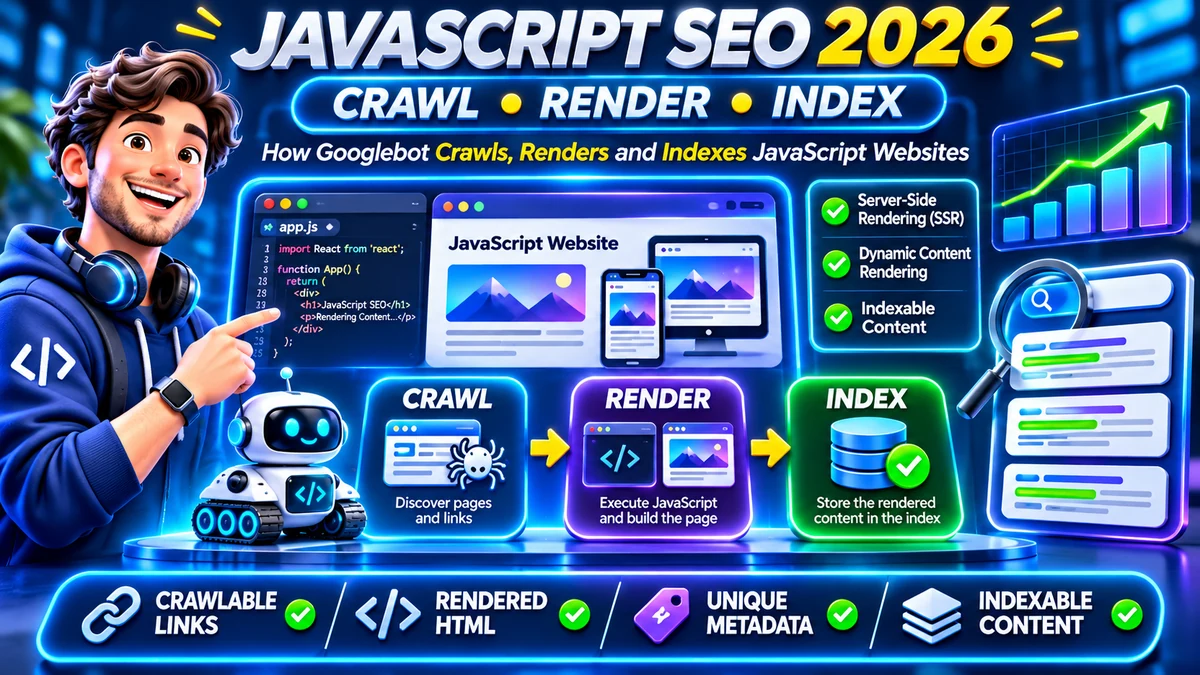
A modern website can look perfect in a browser and still have technical SEO problems that are difficult to spot from the front end. Product details may appear only after an API call, navigation may depend on click handlers, and page metadata may be injected after the application starts. JavaScript SEO is the discipline of making sure search engines can discover the right URLs, render the important content and understand which pages deserve to be indexed.
Google Search can process JavaScript, so the answer is not to avoid modern frameworks. The real work is to build dependable rendering, routing and metadata into the site architecture. This guide explains the crawl-render-index process, compares client-side and server-side rendering, shows how to debug common problems, and gives developers and SEO teams a practical implementation plan.
For JavaScript SEO, make every important page reachable through a stable URL and a crawlable anchor link; return the correct HTTP status; avoid accidental robots or noindex blocks; expose the main content and page-specific metadata in the rendered HTML; keep canonical URLs consistent; and validate representative pages with Google Search Console URL Inspection. SSR or static rendering can improve reliability, but neither is a mandatory ranking trick for every website.
Follow a page from discovery to indexing
Each stage has a different job. Test the stage that is failing instead of repeatedly resubmitting the same URL.
2. What JavaScript SEO means and why it matters
JavaScript SEO is the practice of making pages built or enhanced with JavaScript discoverable, understandable and eligible to appear in search results. It matters because modern websites often use frameworks such as React, Vue, Angular and other client-side tools to build interfaces, load product information, update filters and create app-like experiences. Those features can work perfectly for a visitor while still producing an incomplete or confusing page for a crawler if the site is not engineered carefully.
The central question is not whether a website uses JavaScript. Google Search can process JavaScript. The practical question is whether the important content, links, metadata and page state are available when Google crawls and renders a URL. A search-friendly implementation gives crawlers a reliable route to the page, returns a meaningful HTTP response, makes the main content available in rendered HTML and exposes internal links as ordinary crawlable links.
This is especially important for ecommerce catalogues, SaaS dashboards with public landing pages, job boards, travel websites, directories, publishers and businesses that rely on JavaScript frameworks. A missing product description, an empty category page or a navigation system that only works after a click can weaken discovery. JavaScript SEO connects front-end engineering decisions with search visibility, rather than treating technical SEO as a checklist added after development.
3. How Google processes JavaScript: crawling, rendering and indexing
Google describes JavaScript processing in three broad stages: crawling, rendering and indexing. During crawling, Googlebot requests a URL and parses the response. It can discover links present in the original HTML and inspect the resources referenced by the page. If the response is eligible for further processing, the URL may be placed in a rendering queue. Rendering uses a web rendering service based on Chromium to execute JavaScript and build the page as a browser would.
After rendering, Google can inspect the resulting HTML, discover additional links and use the rendered content for indexing. This is why the source response and the rendered page should both be checked. A page may return a successful status and show a title in the browser, yet still fail to expose its main text or links when scripts, API calls or client-side state do not complete correctly. Conversely, a page that uses JavaScript is not automatically blocked from Search.
Rendering can happen separately from the initial crawl and may not be immediate. Do not build a publishing process around the assumption that a crawler will execute every script instantly or that every third-party widget will load successfully. Important page content should not depend on fragile advertising calls, delayed personalization services or a user-only interaction. Make the primary content available through a dependable rendering path, then use JavaScript to enhance the experience.
4. The complete crawl-to-index workflow
Think of the process as a pipeline with separate failure points. Discovery comes first: Google needs to know the URL through a crawlable link, a sitemap or another discovery route. Fetching comes next: the server must return an accessible response and avoid accidental blocks. Rendering follows when required: the browser engine executes the page code and builds the visible document. Indexing then evaluates the available content and signals to decide whether and how the page should be stored and represented.
A successful result at one stage does not guarantee success at the next. A URL can be discovered but blocked by robots.txt. It can be fetched but return an empty application shell. It can render the text but contain no useful internal links. It can render correctly yet be excluded by a noindex directive or treated as a duplicate of another canonical URL. Troubleshooting is faster when each stage is tested separately rather than repeatedly submitting the same URL for indexing.
The workflow diagram below is a simplified diagnostic model, not a promise of Google's processing time. Use it to ask a specific question at each stage: can the URL be found, can the response be fetched, can the essential content be rendered, and is the page eligible and valuable enough to be indexed?
5. Client-side rendering: benefits, trade-offs and SEO risks
With client-side rendering (CSR), the server may return a small HTML shell and JavaScript bundles. The browser downloads the scripts, starts the application, requests data and then creates much of the page content. CSR can support rich interactions and app-like navigation, but it introduces more dependencies between the initial response and the final content. If a bundle fails, an API request is blocked or the application waits for a browser-only event, the page may remain incomplete.
A common mistake is to inspect a page only after it has fully loaded in a developer's browser. That proves the application works in that particular environment; it does not prove every crawler, device or network condition will receive the same result. Test with JavaScript disabled as a diagnostic comparison, but do not interpret that single test as Google's exact behaviour. Instead, compare the raw HTML, browser-rendered DOM, Search Console live test and server logs to find where important content appears.
CSR is not inherently wrong for every page. It may be suitable for authenticated applications or highly interactive tools whose private screens are not intended to rank. Public landing pages, category pages, product details and editorial content deserve more deliberate rendering choices because their primary purpose includes discovery. Decide the rendering strategy by page type and business purpose, not by framework popularity.
6. Server-side rendering and static rendering for search-friendly pages
Server-side rendering (SSR) generates HTML on the server for each request or through a server rendering layer. The initial response can contain the page's main heading, copy, links and metadata before the browser runs the client-side application. This gives visitors a meaningful starting point and gives crawlers an accessible HTML representation without requiring all essential content to be created after JavaScript executes.
Static rendering or pre-rendering produces HTML ahead of time, often during a build or content publication process. It works particularly well for content that changes on a predictable schedule, such as service pages, help articles, documentation, location pages and many marketing pages. A static page can still hydrate in the browser to support menus, filters and interactive elements. The important point is that the initial HTML already contains the core information.
SSR and static rendering are not automatic ranking boosts. They are implementation approaches that can improve reliability, speed and access to content when they are configured correctly. They also have costs: server rendering needs caching and capacity planning, while static builds need a publishing and revalidation strategy. Choose the simplest architecture that reliably serves the right content, status code and metadata for each public URL.
7. Hydration, partial hydration and islands architecture
Hydration attaches client-side behaviour to HTML that was already rendered on the server. A visitor receives a populated page first; JavaScript then connects buttons, menus, filters and other interactive controls. If hydration is delayed or fails, the static content may remain visible, although some controls may not work. This graceful starting point is generally easier to diagnose than an empty shell that has no meaningful content until the application boots.
Partial hydration and islands architecture aim to limit how much of a page needs client-side JavaScript. Instead of hydrating every element, a site can activate only interactive regions such as a booking widget, pricing calculator or navigation menu. This can reduce unnecessary work while keeping the content-heavy parts simple. It is useful for publishers and service businesses that need interactive components without turning every paragraph into a JavaScript dependency.
Watch for hydration mismatches. If the server renders one title, price or availability state and the browser immediately replaces it with another, users and crawlers may encounter inconsistent output. Avoid generating essential content from unstable values such as the current time, random identifiers or browser-only information. Make server and client output deterministic where the same content is expected.
8. Make JavaScript navigation and internal links crawlable
Google can reliably discover links when they are represented as standard anchor elements with an href attribute. A link that looks like a button but only has an onclick handler may work for a person and still provide a weaker discovery path. Use semantic links for navigation to another URL, and reserve buttons for actions such as opening a dialog, submitting a form or changing a control's state.
Single-page applications should use real URL paths and the History API for navigable views. Avoid using URL fragments such as #/products as the only way to identify distinct pages. A URL should load the intended content directly when requested, survive refresh, support browser back and forward navigation, and be linked from other pages through ordinary anchors. Each indexable view should have a stable URL and a distinct purpose.
Check that menus, pagination, related articles, category links and product cards expose href values in the rendered DOM. Infinite scrolling should have an accessible paginated or link-based route to additional items. A crawler should not need to scroll, hover, click a tab or complete a form simply to discover the next important URL. Users can still enjoy smooth transitions while the underlying site keeps normal web navigation semantics.
9. Titles, meta descriptions and canonical URLs in JavaScript sites
Every indexable page should have a descriptive, page-specific title and a useful meta description. These values should be present in the original HTML response whenever possible, not added only after several asynchronous scripts run. A framework can manage metadata, but test the actual response and rendered DOM to confirm that the correct values appear for each route and are not copied across every page.
Canonical URLs help consolidate duplicate or near-duplicate URL variants. Set the preferred canonical in the original HTML where possible and keep it consistent with internal links, sitemap entries and redirects. Do not let client-side routing repeatedly append competing canonical tags or switch the canonical to a different URL after rendering. A canonical is a signal, not a command that overrides every other piece of evidence, so consistency across the site matters.
Query parameters, sorting options, tracking codes and alternate route formats can create many URLs that show substantially the same content. Decide which variants deserve their own indexable pages and which should consolidate to a preferred URL. Do not canonicalize genuinely different pages to a broad category merely to reduce the number of URLs. The canonical should describe the relationship between equivalent or duplicate versions, not erase useful distinctions.
10. Robots directives, HTTP status codes and soft 404 problems
A technically polished JavaScript page can still be excluded if its indexing directives are wrong. Check robots.txt access, meta robots tags and X-Robots-Tag response headers. Robots.txt controls crawling; it is not a reliable way to request that a URL be removed from the index. If a page must be excluded, use the appropriate noindex directive while allowing the crawler to fetch the page and see that directive. Avoid placing a noindex tag in the original HTML and expecting JavaScript to remove it later.
Status codes must reflect the real state of the requested URL. A page that exists should normally return a successful response. A permanently removed page should not return a generic 200 response with an error message if it is actually gone; use an appropriate 404 or 410 response where suitable. A missing product route that renders a branded 'not found' screen while returning 200 can become a soft 404 and create confusion for search engines.
Single-page applications often return the same app shell with status 200 for every route, including invalid URLs. Configure server or edge routing so that unknown paths can return the correct status. Test redirect chains, authentication gates, API failures and client-side error boundaries. A crawler should not be told that every URL exists when the application knows that some of them do not.
11. API-driven content, personalization and consent states
Many JavaScript pages rely on APIs to load prices, reviews, inventory, article data or search results. If the primary page content is fetched only after the browser starts, confirm that the request is publicly accessible where it needs to be, responds consistently and does not depend on a logged-in session. The API should return structured data that the page can render without errors, and the visible HTML should contain the important content once rendering is complete.
Personalization can create different versions of the same URL. Location, language, currency, login status, A/B tests and consent choices may change what a visitor sees. Decide which version is intended for indexing and keep it stable enough for search engines to understand. Do not hide all meaningful content behind a consent interaction or a personalization request that never completes for a first-time visitor. Provide a useful default page state.
For ecommerce, make product name, description, price availability and variant information clear in the page itself. Structured data should accurately reflect visible content, not invent ratings or availability. If a page is unavailable, discontinued or temporarily out of stock, represent that state honestly. Search engines should not be asked to interpret a product page that shows a loading spinner forever or exposes only an empty product container.
12. Lazy loading, tabs, accordions and content discovery
Lazy loading can reduce initial page work, but essential content should not depend on a scroll event or a user gesture that a crawler may never trigger. Use browser-native lazy loading thoughtfully for below-the-fold images and non-critical embeds. Keep the main heading, explanatory copy, primary links and key product or service details available without requiring the visitor to scroll to the bottom or press a 'load content' button.
Tabs and accordions can organize long pages for people, but make sure the content is present in the rendered HTML when it is intended to be indexed. A collapsed section is not automatically a problem; the risk appears when the text is fetched only after a click and the page has no other route to that content. Use semantic controls, accessible labels and a clear content structure. Avoid creating dozens of near-identical URLs for every filter or tab state.
Infinite scroll should have a crawlable pagination alternative. Provide links to subsequent pages or another stable discovery mechanism so that important items are not accessible only through a continuous scroll session. Images should have useful alt text when they convey information, and important text should not be embedded only inside an image, canvas or video. Make the meaning available in ordinary page text.
13. Structured data and JavaScript: what to implement carefully
Structured data can help search engines understand eligible entities and page details, but it does not replace visible page content or guarantee a rich result. If a JavaScript application injects JSON-LD, confirm that the final markup is valid, corresponds to the current URL and describes information that visitors can actually see. Avoid generating schema from stale API responses or values that differ from the page after hydration.
Use the structured data type that matches the page's real purpose and follow the current documentation for required and recommended properties. Validate the output with Google's Rich Results Test where applicable and inspect the rendered page. A successful validation means the markup passes a test; it does not guarantee that Google will show a rich result. Eligibility, quality, policy compliance and search presentation remain Google's decision.
Do not add review, rating, product, event or business details simply because a schema generator offers those fields. Marking up fabricated or hidden information can create policy and trust problems. Treat structured data as a machine-readable description of the page, not as a place to insert keywords or promotional claims that are absent from the visible content.
14. How to test JavaScript SEO with Google Search Console
Start with URL Inspection in Google Search Console. Inspect the indexed version to understand what Google previously processed, then use the live test to check the current page. Compare the rendered screenshot and HTML with what a normal visitor sees. Look for missing headings, empty content areas, broken images, blocked resources, unexpected noindex directives and links that appear only after an interaction.
Use the Page Indexing report to identify patterns across groups of URLs rather than treating every excluded URL as an emergency. Some URLs are intentionally not indexed because they are duplicates, redirects, alternate versions or pages that do not need search visibility. Read the specific reason, inspect representative examples and decide whether the issue affects an important canonical page. The objective is not to force every URL into the index.
For deeper debugging, compare the raw HTTP response with the browser's rendered DOM, inspect the network panel for failed JavaScript and API requests, review console errors, and check server logs for crawler requests and response codes. Test with a clean session and realistic mobile conditions. A page that works only when an administrator is logged in or a cached browser session is present needs further investigation.
15. A practical JavaScript SEO debugging workflow
When an important page is missing from search, begin with the exact URL and the intended canonical. Confirm that it returns the expected HTTP status without a login requirement. Check robots.txt, meta robots and response headers. Then inspect the original HTML: does it contain the page title, main heading, core copy and primary navigation, or only a root div and script references? This first pass separates access and response problems from rendering problems.
Next, render the page in a browser and compare the final DOM with the original response. Identify whether the content comes from an API, a client-side route, a third-party script or a delayed user interaction. If the important content is absent, reproduce the issue with network throttling and console logging. Fix the source dependency rather than adding a one-off script that hides the symptom. A stable server response or pre-rendered output is often easier to maintain.
Finally, validate internal links, canonical tags, structured data and page-specific metadata. Run the live URL Inspection test and inspect the rendered HTML. If the page is new or materially updated, submit the relevant sitemap and request indexing where appropriate, then monitor the outcome. Keep a record of the change, the affected URL group and the result so that future deployments can be compared against a known baseline.
What is missing from your page?
Choose the symptom you see. Use the suggested first check to narrow the investigation.
16. React, Vue and Angular: framework-specific checks
Frameworks provide different tools for rendering and routing, but the SEO principles remain similar. For React applications, decide whether public routes should use server rendering, static generation or a client-only experience. Confirm that route-level metadata is unique and that direct requests to nested routes return the correct page rather than a generic fallback with missing content. Check that hydration does not overwrite server-rendered information with an empty state.
For Vue applications, verify the rendering mode used by the project and test every public route, not only the home page. Client-side navigation should update the URL and metadata consistently, while server or pre-rendered output should include the primary content. For Angular applications, review server-side rendering and prerendering options where appropriate, and test how route data, lazy-loaded modules and API responses affect the final HTML.
Do not choose a framework because someone claims it is automatically SEO-friendly. Any framework can be implemented well or poorly. Build a repeatable test for representative page templates: home, category, detail, article, pagination and not-found. Run that test after framework upgrades, routing changes and major component releases. The best solution is the one your team can render, test, cache and maintain consistently.
17. Deployment checks that prevent SEO regressions
JavaScript SEO problems often appear after a deployment rather than during content writing. A new routing rule can return 200 for deleted pages; a bundle split can break a page template; a consent manager can prevent an API call; or a metadata library can publish the same title on every route. Add search-critical checks to the release process instead of relying on occasional manual reviews after traffic drops.
Maintain a small set of representative URLs for each important template. After a release, fetch the raw HTML and verify status codes, title, canonical, robots directives and core text. Render the page in a browser or automated test and confirm that primary content, internal links and structured data are present. Check a not-found URL as well as valid URLs. A deployment should not silently turn every unknown route into an indexable page.
Monitor changes in Search Console over time, but remember that reporting can lag behind a deployment. Pair search reports with application monitoring, error logs and release records. When a problem appears, compare the last known-good release with the current version. This makes it easier to identify whether the issue came from a template, routing layer, API, script, CDN rule or content change.
18. How to measure JavaScript SEO performance
Measure outcomes at more than one level. At the URL level, track whether important pages are discovered, crawled, rendered as expected and indexed when appropriate. At the template level, compare indexing patterns across product pages, category pages, articles and landing pages. At the business level, monitor organic clicks, qualified visits, conversions and revenue or enquiries from the pages that matter. A single index coverage percentage is not a complete SEO performance measure.
Segment Search Console data by page type, directory, device and query intent where possible. Look for sudden changes after releases, template migrations or content updates. A rise in impressions with poor engagement may point to a relevance or snippet issue rather than a rendering issue. A drop in indexed URLs may be legitimate if duplicates were consolidated, or serious if valuable canonical pages disappeared. Investigate the reason before changing the architecture.
Keep a technical SEO change log. Record the affected routes, deployment date, intended outcome, validation method and observed result. This helps teams distinguish correlation from cause and prevents repeated experiments that do not solve the underlying issue. Good measurement connects the engineering fix to the user and business outcome it was meant to improve.
19. Common JavaScript SEO mistakes to avoid
The first mistake is assuming that because Google can render JavaScript, no testing is necessary. Google rendering is a capability, not a guarantee that every third-party script, API, route or interaction will behave exactly as it does in a logged-in desktop browser. The opposite mistake is assuming that JavaScript is automatically invisible and rebuilding an entire site without first testing what Google can actually render.
Other frequent mistakes include using onclick-only navigation, relying on fragments for distinct pages, returning 200 for invalid routes, adding noindex only after hydration, duplicating canonical tags, shipping identical metadata across routes, hiding essential text behind interactions, and publishing structured data that does not match visible content. Each issue is avoidable with clear ownership between developers, content teams and technical SEO reviewers.
A final mistake is treating a single successful URL Inspection test as proof that the whole site is healthy. Test multiple page templates and URL states, including redirects, pagination, filters, out-of-stock products and not-found pages. A website is a system; one clean homepage does not prove that every route is discoverable, renderable and indexable.
20. A 90-day JavaScript SEO improvement plan
During days 1–15, inventory the public URLs and group them by template. Select representative pages and inspect their status codes, original HTML, rendered DOM, metadata, canonical tags, robots directives and internal links. Use Search Console to identify important URLs with indexing or rendering concerns. Document which pages should be indexed and which are intentionally excluded. This baseline prevents teams from spending time fixing URLs that do not need to rank.
During days 16–30, prioritize problems by impact and scale. Fix broken routes, incorrect status codes, accidental noindex directives, missing titles, conflicting canonicals and navigation that hides important links. Confirm that critical API content loads reliably. Where the initial HTML is an empty shell, evaluate SSR, static rendering or pre-rendering for the templates that benefit most. Avoid a full rewrite until the evidence shows it is necessary.
During days 31–60, implement the selected rendering and routing improvements. Add automated checks for representative URLs, verify structured data and test mobile rendering. Update sitemaps when important URLs are added or changed. Coordinate developers, content editors and SEO specialists so that page templates produce unique, useful content rather than technically valid but repetitive pages.
During days 61–90, compare the new baseline with the original. Review Search Console indexing patterns, organic clicks, conversions, server errors and rendering failures. Re-test after each release and document lessons learned. Keep a backlog for lower-priority improvements such as reducing unnecessary JavaScript, improving caching and refining content architecture. Technical SEO is an ongoing quality process, not a one-time launch task.
Three release habits that protect search visibility
Small checks built into delivery can prevent expensive post-launch investigations.
Open a nested URL directly, refresh it and confirm it returns the correct page and status.
Verify that the heading, core copy, canonical and important links exist after rendering.
Confirm invalid routes return a genuine 404 instead of an indexable empty app shell.
21. JavaScript SEO readiness checklist
Before publishing or migrating a JavaScript-powered website, verify that important public URLs can be opened directly and return the correct status. Confirm that the initial response or rendered HTML includes the main heading, meaningful page content, descriptive title, meta description and preferred canonical. Check that robots directives do not accidentally block pages that should be indexed and that valid not-found routes return a genuine error status.
Next, test navigation and content discovery. Primary links should use anchor elements with href values. Pagination and important category routes should not depend exclusively on scrolling or clicking a JavaScript control. Check that images and API-driven content load reliably, and that the page does not require a logged-in session to expose information intended for public search. Review structured data against visible page content.
Finally, test representative pages with Search Console URL Inspection and your own browser tooling. Save screenshots or rendered HTML for comparison after deployments. Make sure your team knows who owns routing, metadata, rendering, sitemaps and release validation. A short, repeatable checklist is more useful than a long technical document that nobody runs before launch.
22. Frequently asked questions about JavaScript SEO
Does Google index JavaScript websites? Yes. Google Search can crawl, render and index JavaScript pages. However, developers should ensure that important content and links are available in the rendered page, that URLs are accessible, and that technical directives do not prevent indexing.
Is server-side rendering always required for SEO? No. SSR is one option, not a universal requirement. Static rendering, pre-rendering and client-side rendering can all be appropriate depending on the page and application. The important requirement is reliable access to useful content and crawlable URLs.
Can Google index content loaded from an API? It can process content that becomes available during rendering, but the API and scripts must work in the crawler's rendering environment. Do not make essential content depend on authentication, fragile third-party calls or user-only actions.
Does dynamic rendering remain the recommended solution? Google's documentation describes dynamic rendering as a workaround rather than a long-term solution. Server-side rendering, static rendering or hydration are generally preferable architectural approaches when they fit the application.
How can I check what Google sees on a JavaScript page? Use URL Inspection in Search Console, including the live test and rendered output. Compare that with the raw HTML and browser-rendered DOM, and investigate blocked resources, failed requests, metadata and missing links.
Does JavaScript SEO improve rankings automatically? No. It helps search engines access and understand eligible pages. Ranking still depends on many factors, including relevance, usefulness, competition, quality and the searcher's context.
Trusted technical SEO resources
Use the original documentation when implementing framework features or investigating Search Console reports. Product behaviour and interfaces can evolve, so verify details against the current source.
External references are independent documentation resources. TopRank Solution is not affiliated with or endorsed by the linked organizations.
Build stronger search foundations for your website
Explore TopRank Solution's SEO and website services to support technical improvements, content quality and sustainable digital growth. Review each service's scope and deliverables before ordering.
Explore SEO & website servicesSee available services and package details Technical improvements support discoverability but do not guarantee indexing, rankings or traffic.Conclusion: make JavaScript work with search, not against it
JavaScript can power excellent website experiences without making search visibility a guessing game. The strongest implementations begin with clear URLs, correct status codes, crawlable links and page-specific metadata. They then make the primary content available through dependable rendering, whether that means server-side HTML, static output, hydration or a carefully tested client-side approach.
Do not rely on assumptions about what a crawler might execute. Inspect the original response, compare the rendered page, test important routes in Search Console and make those checks part of every significant release. When developers and SEO teams share responsibility for routing, rendering, metadata and monitoring, JavaScript becomes a useful part of the architecture rather than an unpredictable obstacle to discovery.